win11环境下docker启动失败之Docker Desktop distro installation failed解决方案
1.出现以下报错

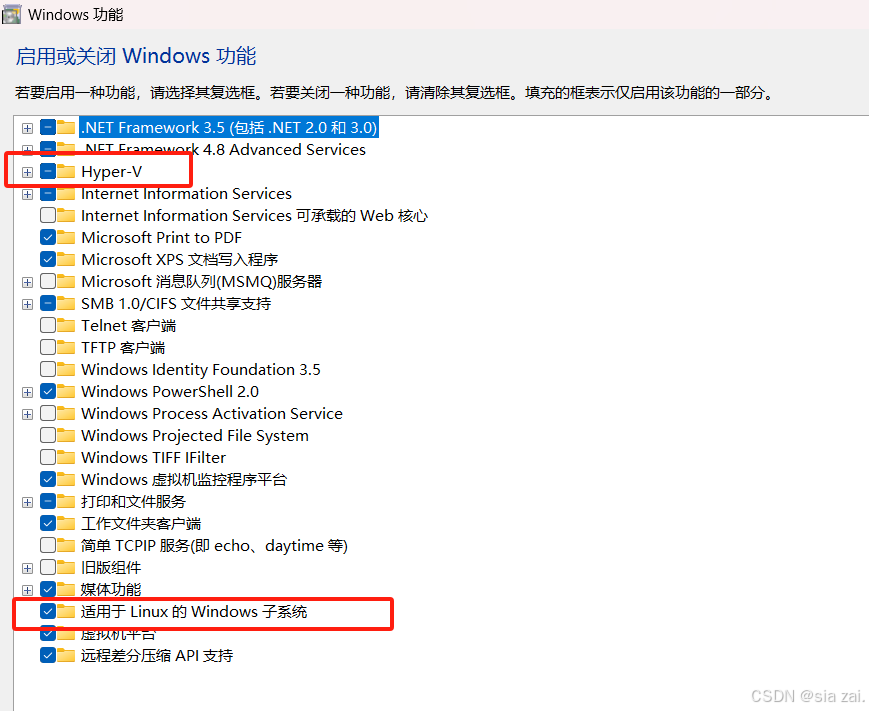
2.电脑搜索启用或关闭Windows功能确保以下两块内容勾选
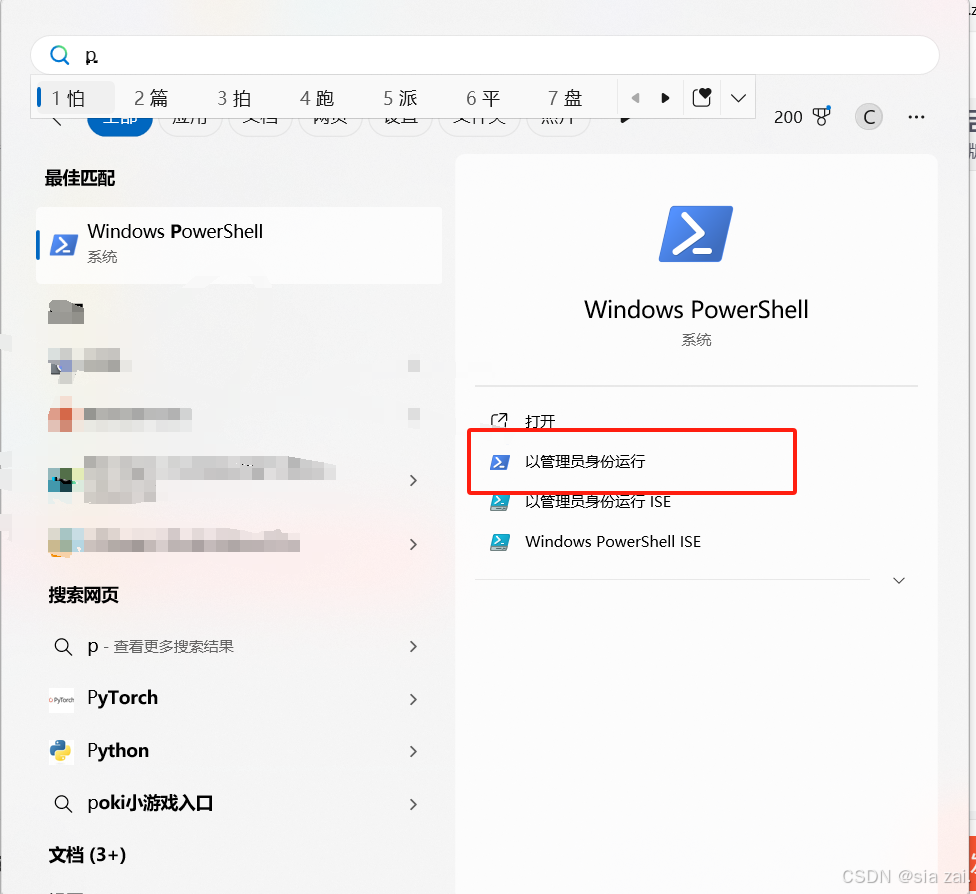
3.管理员身份运行powershell
4.输入以下命令重启重启 电脑
# 重新启用 WSL 和 VirtualMachine 功能:

DISM /online /enable-feature /featurename:VirtualMachinePlatform /norestart

DISM /online /enable-feature /featurename:Microsoft-Windows-Subsystem-Linux /norestart

#重新启用 Hyper-V 功能:

dism.exe /Online /Enable-Feature:Microsoft-Hyper-V /All

bcdedit /set hypervisorlaunchtype auto
5.重启后运行docker